Hero Banner

Taskify

Device: Smartwatch

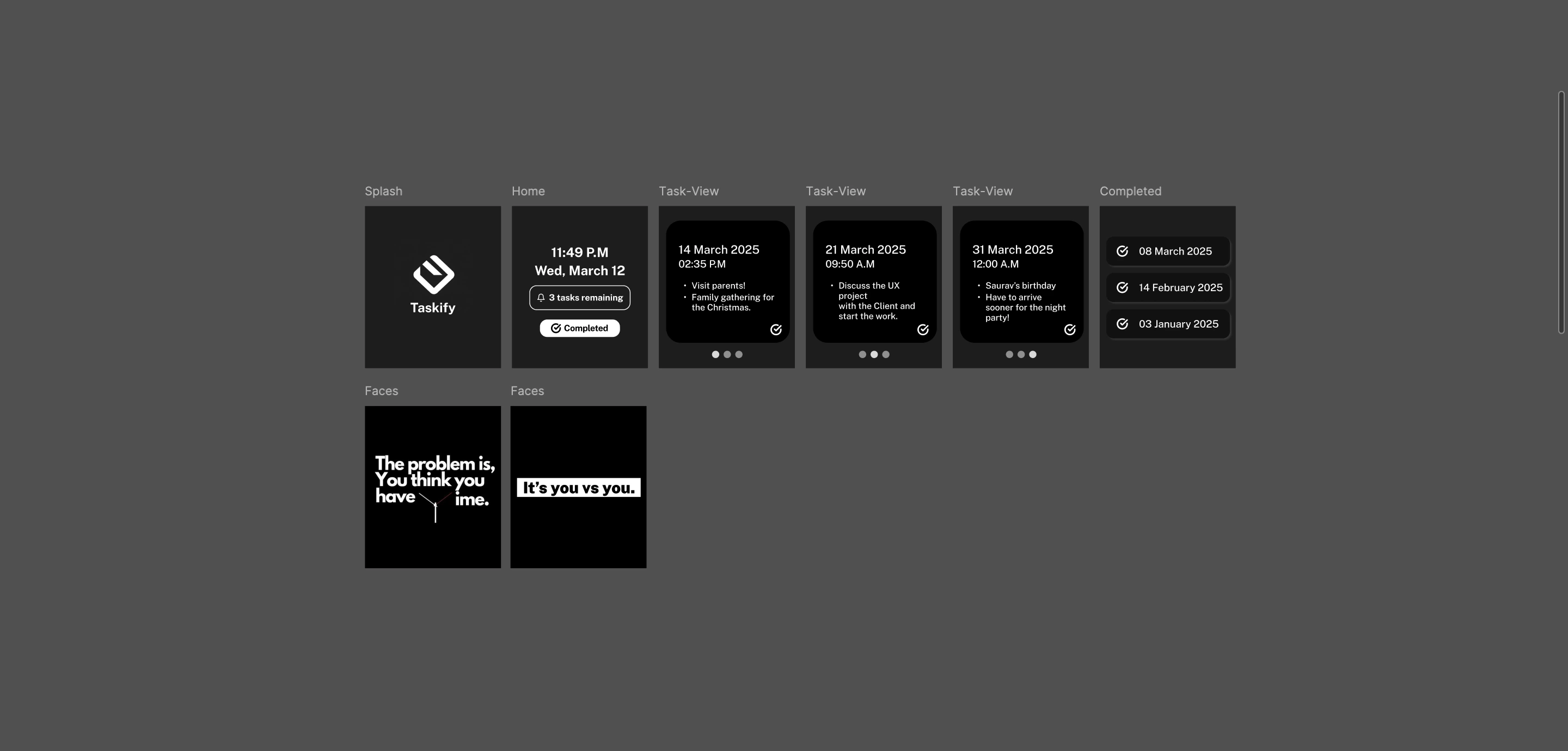
Tracify is a smartwatch application designed to help users efficiently manage and track their tasks. The app features a minimalist black-and-white interface, allowing users to easily view their remaining and completed tasks. 

Role: Product Designer

Timeline: 1.5 months

Tool: Figma

AI Tools: Claude AI, Perplexity AI

This project overview provides a detailed look at the design process and outcomes for the Taskify Design Project.

DEFINE

1. Framing the Problem:

Many individuals struggle with task management due to cluttered interfaces and overwhelming features in existing productivity apps. There is a need for a simple, intuitive smartwatch application that allows users to track their tasks effectively without distractions.

2. Competitor Analysis:

Aspect Taskify Todoist Microsoft To Do
User Interface Minimalist design Feature-rich Moderate complexity
Task Tracking Simple completion tracking Advanced features Integrated with Microsoft services
Customization Limited options Extensive options Basic customization
Notification System Basic reminders Smart notifications Integrated reminders

User Journey Insights:

  • Users appreciate simplicity but desire effective reminders and tracking capabilities.
  • A clean interface is crucial for smartwatch usability, as clutter can lead to frustration.

3. User Personas:

Image is for illustrative purposes only.

Busy Professional (Arjun, 29)

 Project Manager

Needs: Quick access to task lists, easy marking of completed tasks, and minimal distractions while using the app.

Quote: "I need something straightforward that helps me stay on top of my tasks without any fuss."

Image is for illustrative purposes only.

Student (Neha, 22)

 College Student

Needs: A simple way to manage assignments and deadlines, with the ability to quickly check off completed tasks.

Quote: "I want an app that helps me keep track of my schoolwork without complicating things."

Research Goals:

  1. Evaluate user preferences for task tracking features on smartwatches.
  2. Assess the effectiveness of a minimalist design in enhancing user experience.
  3. Understand user expectations regarding notification systems for task reminders.
  4. Test the ease of marking tasks as completed or corrected.
ARCHITECT

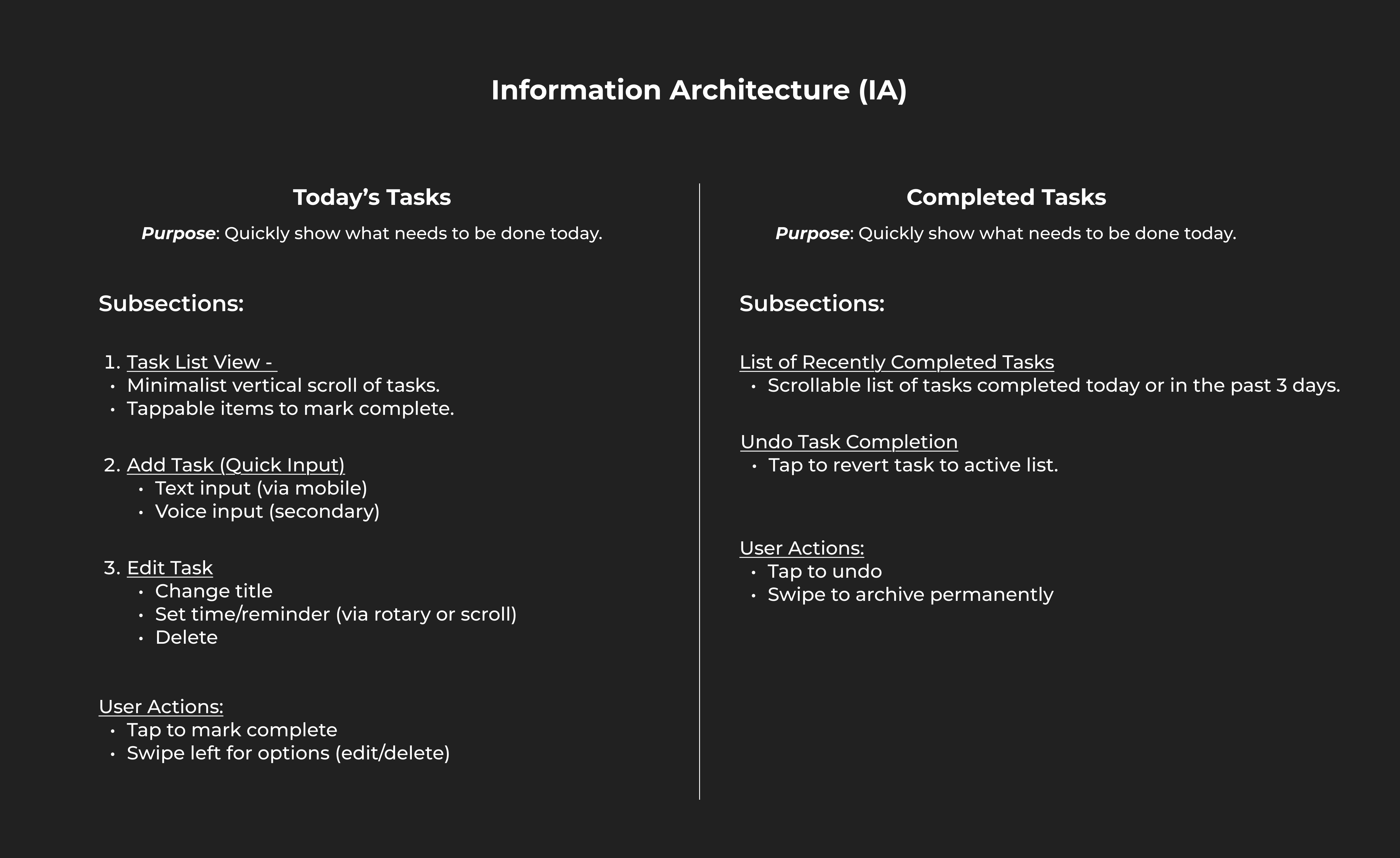
1. Information Architecture:

Information Architecture Sketch

Effectively tracking your tasks in a structured manner is essential for enhancing productivity. Our intuitive and powerful app supports you on this journey.

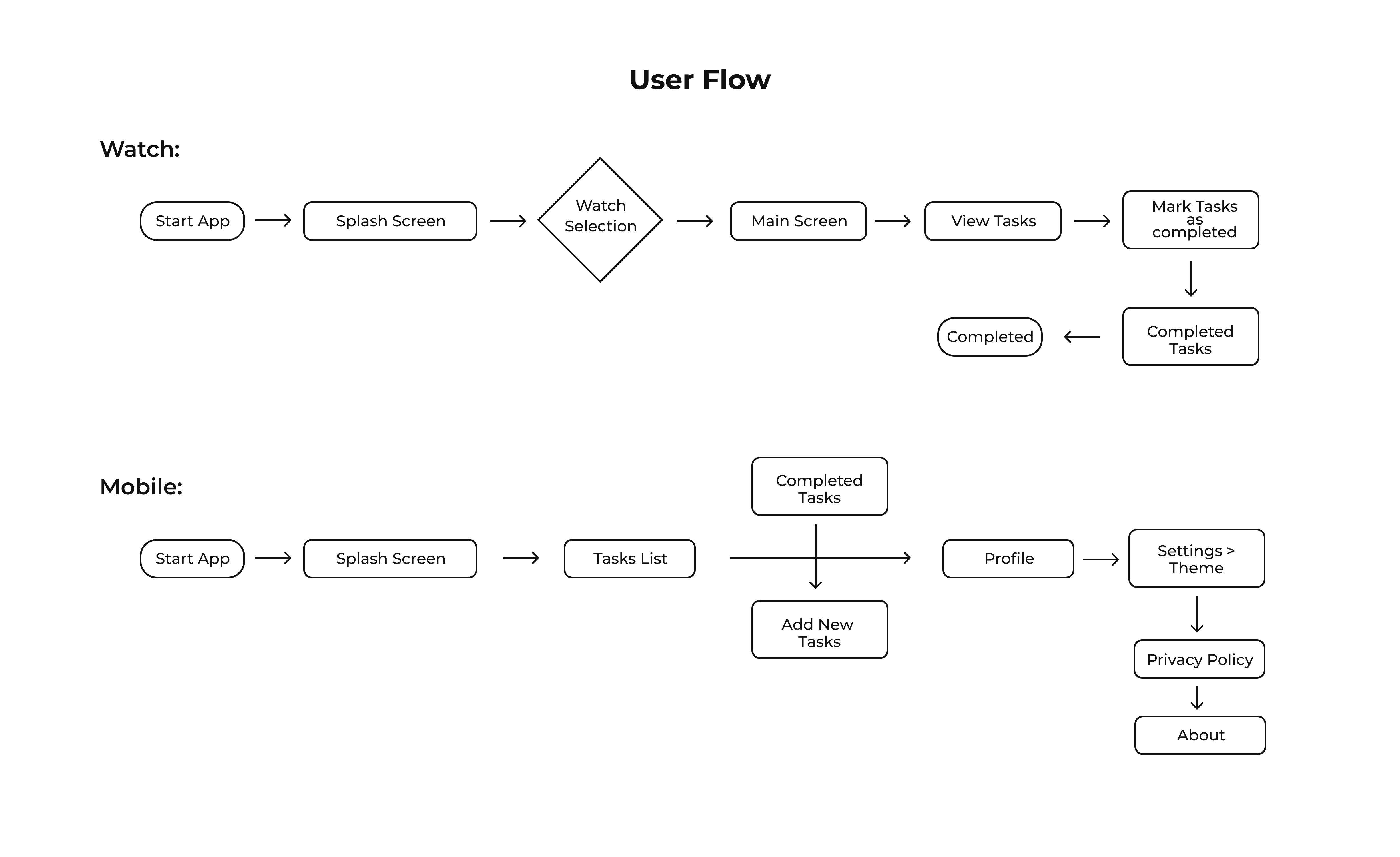
2. User Flows:

Dashboard Design on Tablet

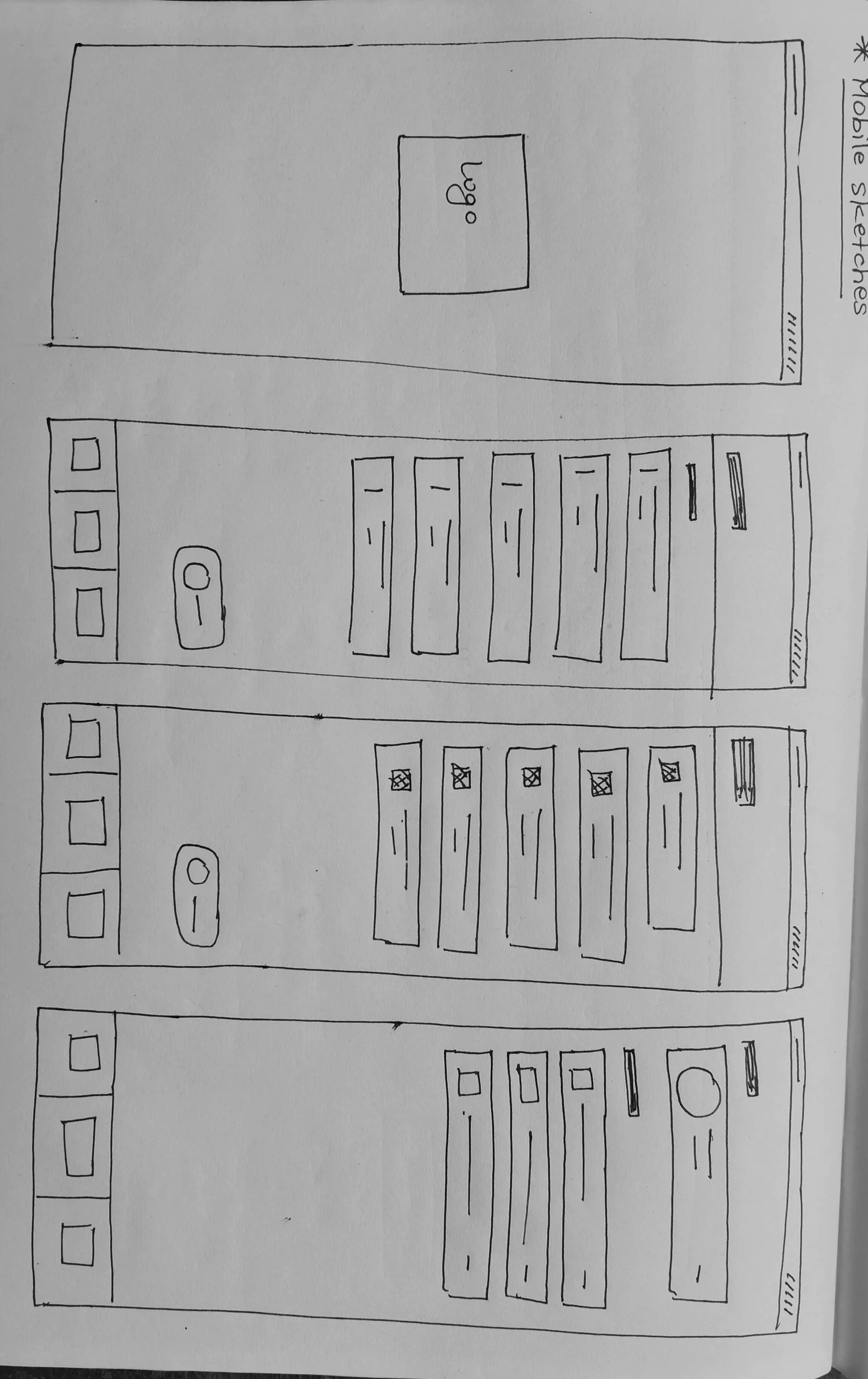
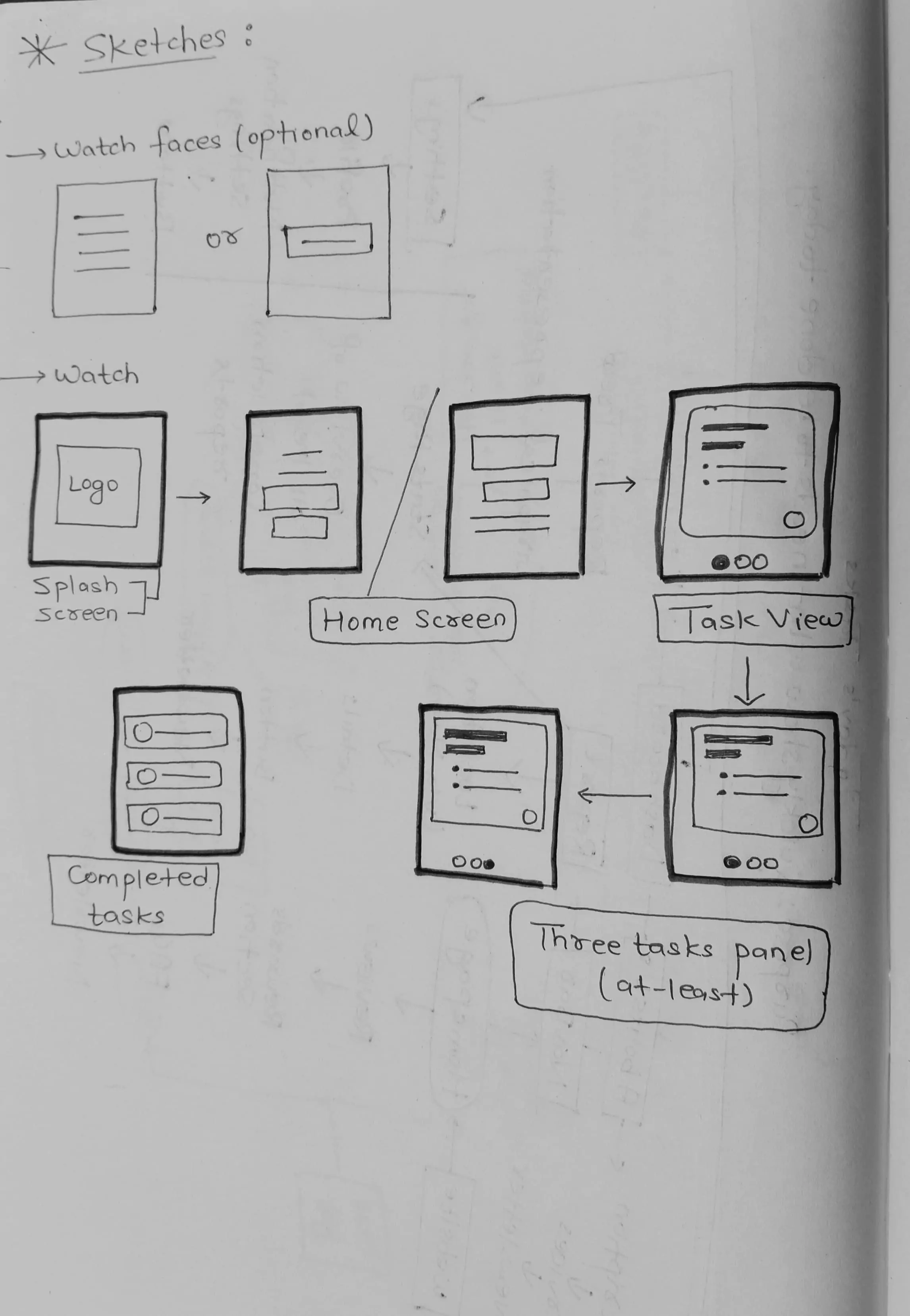
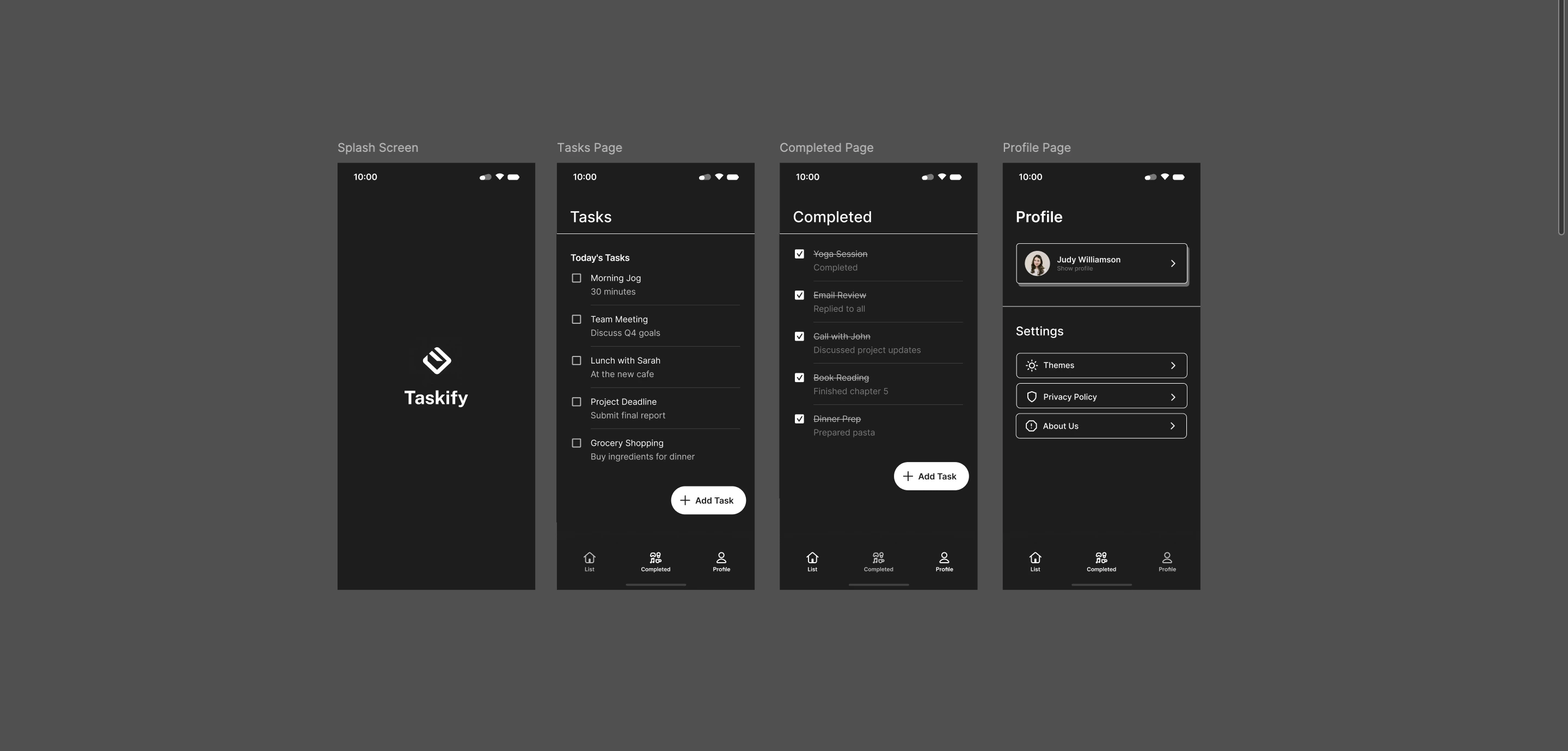
3. Wireframing or Sketches:

Wireframe 1
Wireframe 2

REFINE

1. Iteration

Prototype Coverage:

  • Onboarding process for setting up tasks
  • Task completion scenarios with visual feedback
  • Notification settings for reminders

Metrics Tracked:

  • System Usability Scale (SUS)
  • Task completion rate for marking tasks as completed or corrected
  • User satisfaction ratings through post-task surveys

2. Prototype:

Prototype Design Process
Final Prototype Design

3. Key Findings & Iteration:

Issue Solution Impact
Overwhelming interfaces Simplified navigation with essential features only 70% increase in user satisfaction
Lack of effective reminders Introduced customizable reminder settings Improve task adherence by 50%
Difficulty in marketing tasks Enhanced visual feedback when marking tasks as completed Reduce confusion by 40%

EVALUATE

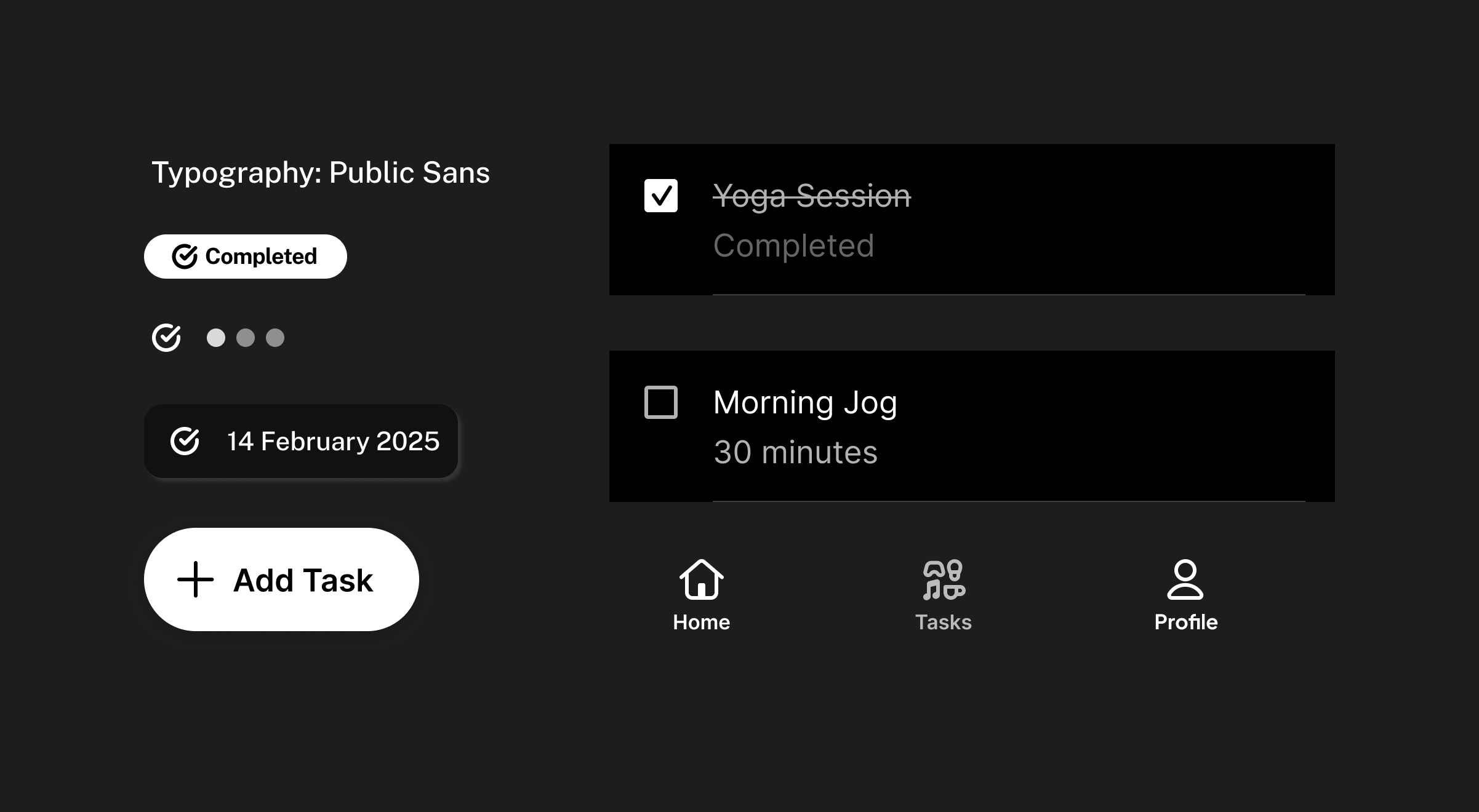
1. Design System

Tracking your tasks moderately and in a fine-tuned manner is a key to a productive being.

Image is for illustrative purposes only.

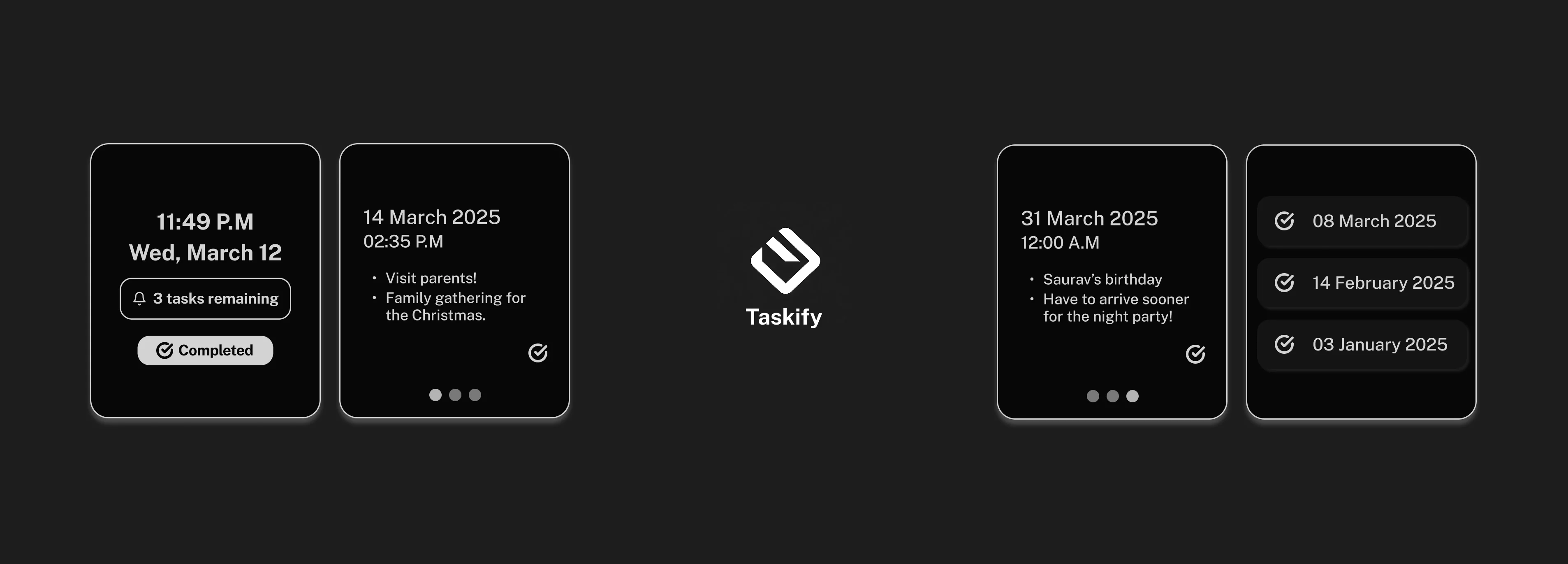
2. Final Design:

Figma →

Prepare handoff to developers:

Tracking your tasks moderately and in a distinguish manner is a key to a productive person. Our curated app lets you track all tasks in one place for a clear view of your convenience. If you need help, our support team is ready to assist, and our community provides valuable resources for effective tasks management.

Thanking You

for going through the study!